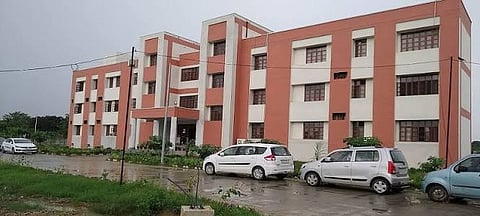

The Prof. Rajendra Singh (Rajju Bhaiya) University (PRSU), Prayagraj has started declaring the Rajju Bhaiya University Result 2026 for various Undergraduate (UG) and Postgraduate (PG) semester examinations. Students who participated in courses such as BA, B.Sc, B.Com, B.Ed, MA, M.Sc, M.Com, and other UG/PG programs can access their results online by visiting the university's official result portal. The online result serves as a provisional marksheet and can be used for admission, verification, or other academic purposes until the official marksheet is issued. Students are advised to collect their original marksheet from their respective colleges or departments after it is made available by the university.
Candidates can check their B.A, B.Sc, B.Com, M.Ed 2nd and 4th semester, M.A Painting 1st semester, and other exams results online at the official website of the university by following the steps mentioned below.
Step 1: Go to the official website of the university - prsuniv.ac.in
Step 2: Scroll down to the “Result” section and click on it
Step 3: Select the type of exam and session.
Step 4: Check your course in the provided list.
Step 5: Select result type and provide the Roll Number, captcha and click on “Submit”
Step 6: Result will appear on the screen.
Step 7: Save the PDF for future reference
After downloading the result, students should verify the following information:
Student Name
Roll Number
Registration Number
Father's Name
Course Name
Semester/Year
Subject-wise Marks
Total Marks
Maximum Marks
Result Status (Pass/Fail)
Division/Grade
SGPA/CGPA (if applicable)

