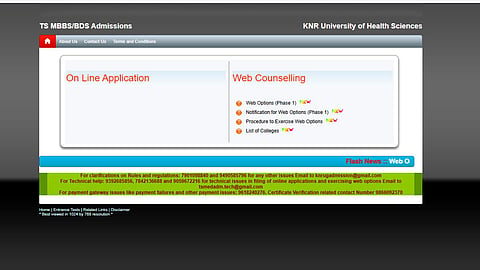


KNRUHS Telangana NEET UG Webb Options 2026 link has been activated today, August 29, and the eligible candidates as per the final merit list can fill the college preferences. The candidates need to keep their NEET roll number, all-India rank and mobile number.
KNRUHS has provided a separate procedure for candidates to exercise their choices. Candidates should preferably keep their preferred colleges and their order of priority ready before logging in.
Step 1: Visit the counselling website
Open the official KNRUHS counselling portal:
The procedure document instructs candidates to open the website and click on the “Web Options” link under the Web Counselling section.
Step 2: Read the instructions
An Instructions to Candidate window will appear. Candidates should carefully read the instructions and click “I Understood” before proceeding.
Step 3: Enter login details
Candidates will have to enter:
NEET Roll Number
NEET Rank
Registered Mobile Number
Registration Number of the TS NEET application
After entering the details, click “Get OTP”. The OTP received on the registered mobile number must then be entered to validate the login.
Step 4: Select medical colleges
After login, the Option Form will display the eligible colleges. Candidates can use the available filters, including college code and district, to narrow down the list.
To add a college, select it from the list on the left and click “Add.” After confirmation, it will move to the right-hand panel as an option. The first college added becomes the first preference, followed by the subsequent choices.
Step 5: Arrange choices in order of preference
Candidates should pay close attention to the order of their choices.
If a candidate wants to change the priority, the procedure allows them to select an option and move it up or down. Choices can also be rearranged using the UP/DOWN buttons. Unwanted choices can be removed using the Delete option.
Step 6: Save and confirm the options
Once satisfied with the order, click “Save.” Candidates will then have to confirm the saved choices using the OTP received through SMS.
Only after confirmation will the selected options be saved on the server for processing. Candidates should take a printout of the saved options and carefully verify the colleges and their priority.
The university also states that saved options will be sent automatically to the candidate's registered email ID. If the candidate saves the options again, the latest updated options will be emailed.
